

OCR MyChart:
Stay Connected to Your Care
Orthopaedic & Spine Center of the Rockies (OCR) transitioned to a new electronic medical record system called Epic, on February 2, 2026. With Epic’s mobile platform, OCR MyChart, you’ll enjoy an improved patient experience with better coordination across your healthcare team no matter where you are. OCR intentionally chose a platform many patients are already familiar with, making it easier to navigate, communicate with your care team, and manage your health information.
Thank you to UCHealth’s Community Connect program that allows us to offer better integrated care for our patients and our community. With OCR MyChart, you will now be able to schedule appointments, pay bills, check your test results, view your medical records, and much more!
Need support for your MyChart account? Call 855-467-0810 or message here.
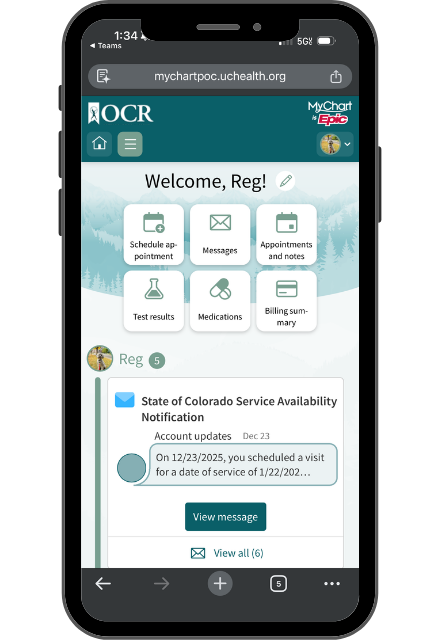
Using MyChart, you can…

View a health summary of your recent visit

Securely message your provider’s office

Update your medication list, allergies, and medical history
Request prescription refills

Existing patients can schedule online
Receive reminders for upcoming appointments

View results

Pay your bill for services provided after February 2, 2026
FAQs
When did the transition happen?
Orthopaedic & Spine Center of the Rockies transitioned to the Epic electronic health record (EHR) My Chart on February 2, 2026
How do I sign up for an account?
If you are an existing patient, you can sign up for an OCR MyChart account here. If you are a new patient to OCR, you will need to request an appointment with our scheduling team for your initial appointment. After that appointment, you will receive an activation email or text message from “MyChart” to set up your account. You will then have two ways to access your MyChart account. One, visit the Orthopaedic & Spine Center of the Rockies’ website and click on the MyChart link, or two, download the MyChart app on your smartphone.
Is MyChart required?
It’s not required, but it’s strongly recommended because it’s the fastest way to get results and communicate with the care team.
Can a family member or caregiver access my MyChart account?
Yes. MyChart offers proxy access, which allows parents, spouses, or caregivers to help manage a patient’s health information with permission.
Is MyChart secure?
Yes — it’s a secure, HIPAA-compliant portal. It’s the safest way to communicate about care.
Why does it say UCHealth in MyChart?
OCR uses the Epic MyChart system. Patients may still see UCHealth listed in some places because that’s the platform behind the portal. The clinic and care team are still Orthopaedic & Spine Center of the Rockies and not part of UCHealth.
Can I previous appointment information on MyChart?
You will not be able to view information from OCR appointments that happened prior to 2/2/26 on MyChart.
Will my provider review information in MyChart prior to my appointment?
Information that you add to your MyChart account will not be reviewed by your provider. Please discuss all updates to your account with your provider.
Can I access MyChart on my phone?
Yes! There are mobile apps designed to make accessing your account easy. Download the Apple iPhone app here and the Google App here.
Can I use my UCHealth MyChart Login?
Yes. If you already have a MyChart account through UCHealth, login using your same credentials and don’t make a new account.
If you do not already have a MyChart account through UCHealth, you can first sign up to create an account and then schedule your appointment.
What should I not use MyChart messaging for?
MyChart should not be used for urgent or emergency medical concerns. If you are experiencing severe symptoms or a medical emergency, please call 911 or contact your provider’s office directly.
I forgot my password / I’m locked out.
Patients can select ‘Forgot Password’ on the MyChart login screen. If you still can’t get in, you’ll need to contact MyChart support as OCR staff cannot reset your password.
Can I view my radiology images on MyChart?
Radiology images are not available to view on MyChart. Images need to be requested through the ROI process (information found under ‘Patients’ tab on website).